What's the quickest way to start a 10 minute countdown?
The quickest way to start a 10 minute countdown is to click the 10 min preset, which begins counting down from 10:00 at once, or to enter 0 hours, 10 minutes, 0 seconds and press Start. When the ring empties, your chosen sound rings and a "Time's up!" banner appears.
On this page
- What can you finish in a 10-minute block?
- Why is ten minutes such a useful work unit?
- How to use the 10 minute timer
- How does the 10 minute timer keep accurate time?
- What can I customize on the 10 minute timer?
- How do I pace a 10-minute task without warning beeps?
- Does the 10 minute timer remember anything between visits?
- How does ten minutes compare with other familiar time spans?
- When is ten minutes the wrong length?
Ten minutes is 600 000 milliseconds, roughly 16.7% of an hour. That makes it the shortest block I trust for real work: long enough to get somewhere, short enough to say yes to without a second thought.
I use a 10 minute timer for household resets, a child's homework stretch and the opening of a revision session. It runs in any browser on all devices, on a phone or projected onto a classroom wall, and needs nothing installed.
What can you finish in a 10-minute block?
A 10-minute block is enough to finish one bounded task from start to end: a room reset, one section of revision, a short meditation or a first draft paragraph. The block works because it is long enough to show visible progress and short enough to keep the urgency of a deadline.
At home, ten minutes clears a kitchen counter, empties a dishwasher or sorts a pile of mail. For students, it covers one set of practice questions or a page of notes. In meetings, it fits a single agenda item, and before workouts it is a reasonable warm-up slot.
The table shows how I split ten minutes for different jobs. The point is not the exact split but deciding it before you press Start, so the alarm lands on a natural stopping point. Many kitchen microwaves run in similar short blocks, so the length already feels familiar.
| Job | How the 10 minutes are split | What "done" looks like |
|---|---|---|
| Room reset | 8 minutes clearing, 2 minutes putting things away | Floor and surfaces clear |
| School-work stretch | 10 minutes on one subject, no switching | One worksheet or page finished |
| Study warm-up | 3 minutes recall, 7 minutes practice questions | A list of gaps to work on next |
| Meditation | 1 minute settling, 9 minutes breathing | Calm start to the next task |
Why is ten minutes such a useful work unit?
Ten minutes is a useful work unit because it sits between a quick break and a full focus session, so it suits focused bursts of effort without draining you. It is short enough to start on a bad day and long enough that you finish with something to show.
For timeboxing, ten minutes forces a decision about what matters inside the box. I give tasks I am dreading one block each, and the productivity gain comes mostly from starting, not from speed. Used as a cap, it also limits the burnout that comes from open-ended sessions.
The length shows up in odd places. An NBA quarter lasts 12 minutes, a little longer than one block, which is a handy reminder of how much happens in that span. For focused study, one ten-minute block on recall before reading is a cheap way to warm up. These are personal observations, not research findings.
How to use the 10 minute timer
You use the 10 minute timer by clicking the 10 min button or entering 10 minutes, picking a sound, and pressing Start; it rings at zero and shows a "Time's up!" banner. The page runs in your browser with no sign-up, and it remembers your sound, volume and theme.
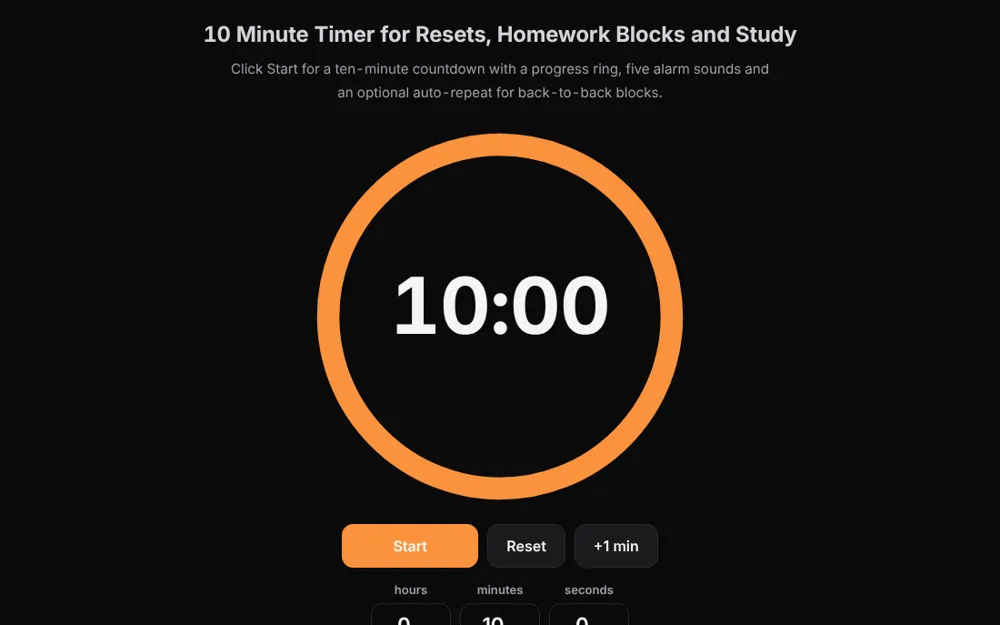
- Click the 10 min button (it starts at once) or type 0 h, 10 min, 0 s and press Start.
- Choose Beep, Chime, Digital, Soft or Bell, set the volume and press Test sound.
- Press the Space bar to pause and resume; press + to add a minute while it runs.
- Press F for full screen, then Esc to stop the alarm when it rings.
- Press Restart on the banner to run another ten minutes, or R to reset.
Worked example: for two kids doing homework and chore blocks, I set 0 h, 10 min, 0 s, chose Chime and ticked Repeat when finished. Block one was spelling, block two was tidying their room, block three was reading. Result: three blocks in about 30 minutes 6 seconds (3 × 10 min + 2 × 3 s gaps), and nobody argued about when to switch because the chime decided.
How does the 10 minute timer keep accurate time?
The 10 minute timer stays accurate because it fixes the finish time as start time plus ten minutes and checks it against your device clock four times a second. It does not add up ticks, so a slow page cannot make the ten minutes run long.
Browsers slow down animations in background tabs, but the end check keeps running, so the alarm fires on time while you work in another window. The remaining time also appears in the tab title, and the screen is kept awake where the browser supports it.
Timing short spans is an old problem. The earliest timers were water clocks, used in Ancient Egypt around 1500 B.C.; today the same job is done by the browser clock on your device. That is plenty for daily tasks, while lab work needs dedicated hardware.
What can I customize on the 10 minute timer?
You can customize the length, the sound, the volume and the theme on the 10 minute timer, and everything else stays deliberately simple. Type a value into any field, such as 9 minutes 30 seconds, or use + to add a minute mid-countdown.
You type a value or click a preset button, which I find faster and more exact. The Space key starts and pauses, R resets, F opens full screen and Esc silences the alarm.
Sound choice matters more than people expect. Soft or Chime suits quiet settings such as a library or a shared office, while Bell or Digital carries across a gym. Lowering the volume slider gives you a silent visual timer.
How do I pace a 10-minute task without warning beeps?
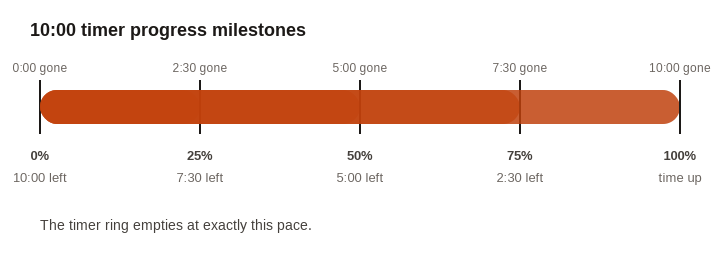
You pace a 10-minute task by glancing at the ring, which empties steadily, so the halfway point and the last stretch are easy to spot without any warning beeps. The timer rings once, at zero, and stays quiet until then.
I split tasks against the ring rather than the digits. When the ring is half gone, I check whether I am on track; when only a sliver remains, I wrap up. That habit works for rest periods between sets, for Tabata-style circuits run as one ten-minute session, and for a guided meditation track that you want to end on time.
If you need a firm checkpoint, run a shorter countdown first, such as 5 minutes, and then a second one for the remainder. It keeps short focused intervals visible and preserves the technique of working in bounded blocks.
Does the 10 minute timer remember anything between visits?
Yes, the 10 minute timer remembers your sound, volume and theme between visits, and nothing else. Those preferences are kept in your browser's local storage, and the page sends nothing to a server.
Close the tab mid-count and the countdown is gone, so you simply start again when you return.
The light or dark theme is the one visual choice. For privacy, that simplicity helps: there is no account and no record of how you spent your ten minutes. If you want a quick way back, the Copy link button copies a link that reopens the same setting.
How does ten minutes compare with other familiar time spans?
Ten minutes is exactly two 5-minute blocks and two thirds of a 15-minute session, which makes it a convenient middle size when you are planning a day. Most people already recognise the length from a longer break between work blocks or a short power nap. If you want a different size, the 5 minute timer and the 15 minute timer run exactly the same way, and the egg timer covers boiled eggs.
In my planning, ten-minute blocks stack cleanly: six make an hour, three make half an hour with room to spare. That schedule arithmetic is why the duration shows up in teaching plans and meeting agendas.
The span also matches common quick recipes, though cooking times always depend on the recipe itself. A guided breathing session or a brief walk fits it too, which is why I keep it as my default break length after a long work stretch. In my experience it also suits a short attention span, such as a young child's reading time.
When is ten minutes the wrong length?
Ten minutes is the wrong length when a task has a fixed format of its own, such as a timed test section, an exam paper or a talk slot set by someone else. In those cases, enter the real time limit instead of rounding to ten.
For pacing tests, practice with the actual section length so the pressure feels the same on the day. Oral exams, interview prompts and debate rounds often have their own rules for speaking time, so check them before you practise.
Kitchen work is similar: recipes give their own times, and a tidy-up before guests might need twenty minutes, not ten. Use the + button to extend a block rather than forcing the task to fit.
Need a different tool? Browse all timers & stopwatch.
Frequently asked questions
Why use a browser 10 minute timer instead of a phone?
A browser 10 minute timer is handier than a phone when the countdown needs to be seen by several people at once, such as on a classroom board or a meeting-room screen. Full screen turns the laptop or TV into a large display. A phone stays better for timers you carry around the house.
Are my 10 minute timer settings saved?
Yes, your 10 minute timer settings for sound, volume and theme are saved in your browser and come back the next time you open the page. They stay on that device and browser only, and there is no session restore for a running countdown. Clearing your browsing data resets them to the defaults.
Is the 10 minute timer silent until it ends?
Yes, the 10 minute timer is silent until it ends: it gives no warning before zero. The chosen sound plays once the countdown reaches zero and rings for up to 60 seconds. Press Esc or Stop alarm to silence it.
Can I run two 10 minute timers at the same time?
Yes, you can run two 10 minute timers at the same time by opening the page in two browser tabs, because each tab keeps its own countdown. Pick a different sound in each tab so you know which one rang. This works well for staggered tasks, such as two groups starting a few minutes apart.
Why have a separate page just for ten minutes?
A separate page for ten minutes saves time, because the 10 min button and the right default are ready the moment the page loads. You can still type any other length. Bookmark the page if ten minutes is a duration you use every day, or keep it open in separate tabs to run timers in parallel.
Is a 10 minute timer in a browser accurate enough for a test?
Yes, a 10 minute timer in a browser is accurate enough for practice tests and classroom activities, because it compares a fixed end time with your device clock several times a second. Any delay is a fraction of a second. For official exams, follow the timing method the exam body specifies.
What happens if my laptop goes to sleep during the countdown?
If your laptop goes to sleep during the countdown, the alarm cannot ring until the device wakes, so keep it plugged in and awake for important timing. The timer asks the browser to keep the screen on where supported. When the device wakes, the countdown shows the correct remaining time or the finished state.
Does the 10 minute timer track me?
No, the 10 minute timer does not track you, because it runs in your browser and sends nothing to a server. Your preferences stay on your own device. No history of your sessions is stored.
Is the 10 minute timer free to use?
Yes, the 10 minute timer is free to use, with no account, no credit card and no download. It starts with one click on the 10 min button. The same page works whether the ten minutes are for a presentation, a workout or a study session.