How can I time exactly five minutes online?
You can time exactly five minutes by clicking the 5 min preset (or entering 0 hours, 5 minutes, 0 seconds) and pressing Start; the timer counts down from 5:00 and rings at zero. Five minutes is 300 000 milliseconds, about 8.3% of an hour, and a little shorter than the 8 min 20 s that sunlight needs to reach Earth.
On this page
- What fits into a five-minute block?
- Why does watching five minutes drain away help you focus?
- How does the five-minute rule beat procrastination?
- How to use the 5 minute timer
- How does the 5 minute timer keep accurate time?
- Can I see the 5 minute timer from across a room?
- Does the 5 minute timer save my sound and theme?
- How long is five minutes in practice?
I use a 5 minute timer as a container rather than a deadline. It is long enough for a real break, a full lightning talk or a pot of tea, and short enough that I never feel I am giving up a chunk of the day to it.
The countdown is glanceable: big digits, a ring that empties as time passes, and controls you can run from the keyboard. Nothing to install, no account, and the same page works on a laptop, a phone or a projector.
What fits into a five-minute block?
A five-minute block fits one complete small job: a break, a short presentation, a brewing step or the first push on a task you keep postponing. The size matters because it is large enough for small efforts to finish and small enough to drop into any gap in the day.
At work, five minutes is a natural slot for short talks and meeting blocks where each person gets the same turn. In study sessions, it is the break that classic 25-minute work blocks are paired with, and it suits short bursts of review when you cannot face a full hour.
Five minutes also helps with procrastination, because the technique of promising yourself just one block makes a hard start feel lighter. Breaking a big job into smaller chunks of five minutes each reduces the sense of overwhelm, and the alarm marks clean transitions between tasks.
| Five-minute block | What happens inside it | Good moment to use it |
|---|---|---|
| Recovery break | Stand, walk, refill water, look away from the screen | After a 25-minute focus session |
| Presentation slot | One speaker, one idea, questions held for later | Team meetings and student showcases |
| Kitchen step | Steep, simmer or rest food for a set time | When a recipe gives a five-minute window |
| Starter sprint | Work on the hardest task only until the sound | When you keep putting something off |
Why does watching five minutes drain away help you focus?
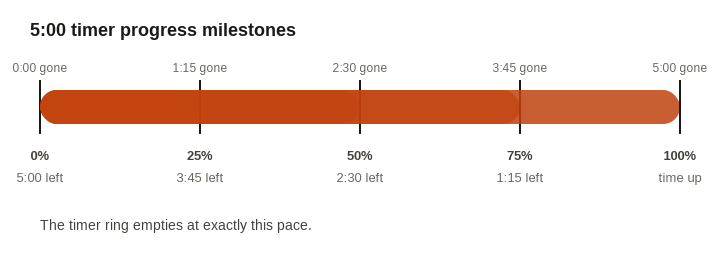
Watching five minutes drain away helps you focus because you can see how much time is left without stopping to think about it. A visual countdown removes the small, repeated question "how long have I got?", which is what usually pulls attention away during silent reading or study periods.
On this page, the ring around the digits empties steadily, so a class doing classroom quizzes or a family playing a board-game with move limits can all see the same thing. In debate rounds, the speaker reads the ring while the audience reads the digits.
The display is deliberately simple: large, clean numbers and a ring, with the light or dark theme set from the header. In my experience, fewer choices mean less fiddling before the five minutes even start. If a shorter block suits the task better, the 1 minute timer works the same way.
How does the five-minute rule beat procrastination?
The five-minute rule beats procrastination by shrinking the commitment to a size your brain stops arguing with: you agree to work on the task for five minutes only, then decide whether to continue. In my own work, the hard part is almost never minute six; it is minute one.
The rule works best on tasks you are avoiding because they feel vague or dull. An admin task such as one awkward email or paying a bill, a journal entry you keep skipping, or brainstorming headlines for a project all become concrete once the clock is running.
I also use the rule for planning your day in the morning and for a short movement break when I notice I have been sitting too long. If you are still engaged when the alarm rings, add another block with the +1 min button or start the five minutes again. These are personal observations rather than research findings.
How to use the 5 minute timer
You use the 5 minute timer by clicking the 5 min preset or entering 5 minutes, choosing a sound, and pressing Start; the alarm and a "Time's up!" banner appear at zero. Everything runs in your browser with no download, and your sound, volume and theme are remembered. The ring around the digits works like a circular progress bar.
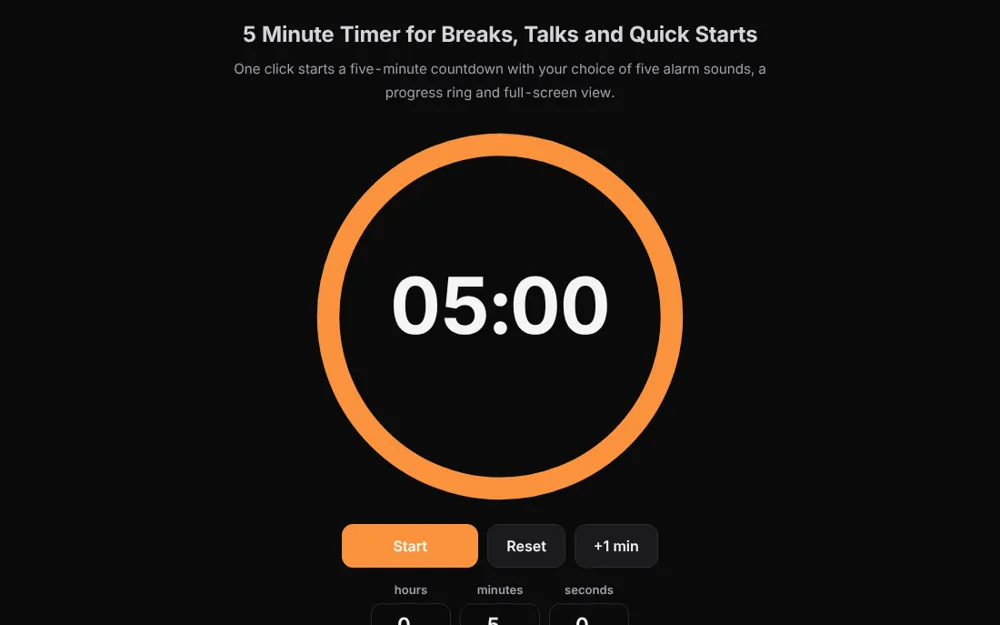
- Click the 5 min preset (it starts at once), or type 0 hours, 5 minutes, 0 seconds and press Start.
- Choose Beep, Chime, Digital, Soft or Bell, set the volume and press Test sound.
- Press Space to pause and resume, or + to add one minute while it runs.
- Press F for full screen so the countdown fills the display.
- At zero, press Stop alarm (or Esc), or Restart for another five minutes.
Worked example: for a rehearsal of lightning talks, I set 0 h, 5 min, 0 s, chose Bell and opened full screen on a second monitor. One speaker needed a little more time, so at 0:20 left I pressed + once. Result: that talk ran 6 minutes in total, everyone else kept to five, and speaker time stayed visible to the whole room. With Repeat when finished on, four back-to-back talks take about 20 minutes 9 seconds (4 × 5 min + 3 × 3 s gaps).
How does the 5 minute timer keep accurate time?
The 5 minute timer stays accurate because it records the end moment as start time plus five minutes and checks that moment against your device clock four times a second. It never relies on counting ticks, so a busy page cannot make the five minutes stretch.
Browsers slow animations in background tabs, but the end check keeps going, so the alarm is not delayed when the page is behind other windows. A countdown only runs while the tab is open, and sleeping the device can stop sound, so keep the page open and the screen in the foreground on phones. The remaining time also shows in the tab title, and once the page is open (after load) the counting happens on your device, not on a server.
The method is a modern version of a very old idea. Water clocks, called clepsydras, measured time by a steady flow, and five-minute increments only became common after minute hands appeared in the late 1500s. Today the wall-clock time on your device plays the same role, for free.
Can I see the 5 minute timer from across a room?
Yes, you can see the 5 minute timer from across a room by pressing F for full screen, which enlarges the digits and the ring to fill the display. That makes it suitable for a stage, a classroom board or a meeting-room TV.
On a desktop or laptop, plug into a projector and use full screen; on a tablet, prop it up where the speaker can see it. Full screen scales everything for you, and the ring is your warning as time runs low.
The page is browser-based, so the same view works on any modern device. I put the timer on a second screen during workshops so the presenter sees the countdown and the audience sees it too, which settles most "how long is left?" questions before they are asked.
Does the 5 minute timer save my sound and theme?
Yes, the 5 minute timer saves your sound, volume and theme in your browser, so they are ready the next time you open the page. The choices are stored on your device only; nothing goes to a server, and there is no data about your sessions to delete.
Choose a preset and it runs. If you want a ready-made link, the Copy link or Share button copies one that reopens the same setting, so you can bookmark it, and the "Embed this tool on your website" box on this page gives you iframe code for your own site.
A running countdown is not kept after you close the tab, so there is nothing to restore later. For a five-minute timer that is rarely a problem; restarting takes one click, and nothing is lost except the minutes already passed.
How long is five minutes in practice?
Five minutes in practice is about the length of one cup of tea, one stretch routine or one short spoken presentation. That is why the duration shows up in so many kitchens, classrooms and meeting rooms.
In the kitchen, five minutes is often quoted for steeping black tea or letting French press coffee brew, and some cooks use it while boiling an egg, though times vary with taste, size and altitude; the egg timer has doneness presets for that. Always check the recipe or packet first, because five minutes is a starting point, not a rule.
Around the house, five minutes covers a set of morning routines like making the bed and opening windows, or a quick HIIT set if you already train. In offices, daily standups often give each person a slice of a five-minute window. For a class or workshop, the classroom timer shows the same countdown, and for a longer slot the 10 minute timer follows the same steps. These are everyday observations rather than fixed standards.
Need a different tool? Browse all timers & stopwatch.
Frequently asked questions
Will the 5 minute timer work without a connection?
The 5 minute timer needs a connection to open the page, and I have not tested it fully offline, so treat offline use as unconfirmed. Once the page has loaded, the countdown runs in your browser without contacting a server. Avoid reloading the tab while you have no signal.
Can I show the 5 minute timer full screen on a projector?
Yes, you can show the 5 minute timer full screen on a projector by pressing F or the Full screen button. The digits and ring scale up to fill the display, and the screen stays awake where the browser supports it. Press Esc to stop the alarm when the session ends.
Can I get a warning before the five minutes end?
No, the 5 minute timer rings once, at zero, with no alert before that. Watch the ring instead: when it is nearly empty, you have seconds left.
Why are lightning talks often five minutes long?
Lightning talks are often five minutes long because five minutes forces one idea, one example and a clear ending, while still allowing a full story. Event organisers like the format because many speakers fit into one session. A visible countdown keeps every speaker on the same footing.
Does the 5 minute timer keep running if I switch tabs?
Yes, the 5 minute timer keeps running if you switch tabs, because the end check continues in the background and the alarm sounds on time. The remaining time also appears in the tab title. Allow desktop notifications if you want an on-screen alert while working in another app.
Is a browser 5 minute timer accurate enough for a talk?
Yes, a browser 5 minute timer is accurate enough for a talk, a break or a recipe, because it compares a fixed end time with your device clock several times a second. Any delay is a tiny fraction of a second. Only lab work or official competitions need dedicated timing hardware.
What if I close the browser mid-countdown?
If you close the browser mid-countdown, the five minutes stop and nothing picks up where you left off. Your sound, volume and theme stay saved, so reopening the page and pressing the 5 min preset gets you going again. For timing that must survive a closed tab, use a phone or kitchen timer.
Does the 5 minute timer collect anything about me?
No, the 5 minute timer does not collect anything about you, because it runs entirely in your browser with no sign-up. Your preferences are stored on your own device. No history of your timers is kept.
Can I change the alarm sound for five minutes?
Yes, you can change the alarm sound by choosing Beep, Chime, Digital, Soft or Bell and pressing Test sound to hear it first. A soft sound suits a quiet office; Bell cuts through classroom noise. The page shows a "Time's up!" banner as the on-screen notice when the countdown ends.
Can I run more than one 5 minute timer at once?
Yes, you can run more than one 5 minute timer at once by opening the page in separate tabs, because each tab keeps its own countdown. Multiple timers work well for staggered tasks, such as two dishes or two groups. The Copy link button gives each a bookmarkable address, and you can reduce confusion by giving each tab a different sound.